Pixel density based on IEC 62676-4:2025
Summary
According to IEC 62676-4:2025, common operational requirements in video surveillance includes being able to overview, outline, discern, perceive, characterize, validate, or scrutinize individuals or objects in the footage.
Once you have decided what level of detail you need, a pixel density model provides basic guidelines to help you find the camera resolution you need. The model is based on how many pixels are needed across a human face for characterization, but the pixel density is often expressed in pixels per meter.
It should be noted that the specified operational requirements are valid in situations where visual video images are interpreted by human operators. For video analytics applications or other systems where image analysis is done by software, other definitions apply. Thermal imaging (using thermal cameras) also defines the operational requirements differently.
It should also be noted that if an external display is used to monitor the scene, the ability to outline, discern, perceive, or characterize individuals depends highly on the screen resolution of that display.
The pixel density model offers guidelines that are easy to use. In reality, however, there are always additional factors, such as light direction, optics quality, and image compression, that may affect the result. Axis provides various design tools that employ a pixel density model relating to the operational requirements outlined in IEC 62676-4:2025, IEC 62676-4:2014, or both standards. The tools help you plan a surveillance system with the right level of detail in the right places, taking both pixel density and many other factors into account.
Introduction
When designing a surveillance system, it is important to keep in mind what the purpose of the system is. You may use datasheets and technical specifications to find out which camera has the best resolution, but in order to optimize cost and effort, you should focus on what camera and setup will fit your operational requirements. For example, do you need to validate if known individuals are in the footage, or is it enough to determine if the footage contains moving objects?
Due to technological advancement, changes have been made to European standard IEC 62676-4:2014. This white paper outlines the key updates from IEC 62676-4:2014 to IEC 62676-4:2025 and provides guidance on how to select a camera that meets the operational requirements of your system. It explains pixel density requirements and Axis tools for planning a surveillance setup.
Changes in IEC 62676-4
IEC 62676-4:2025 update includes the following:
An update to the conversion of values from a CRT monitor to digital monitors.
Information about scene requirements relating to frames per second.
Information about scene lighting with IR and white light.
Information about the required angle to reach the level of scrutinize.
Representation of pixel density and monitor resolutions with numbers.
Categorization of pixel density into Low Pixel Density Object (LPDO) and High Pixel Density Object (HPDO).
Following the changes in the standard, the Axis design tools portfolio strives to provide the necessary means to provide designers the freedom to adopt their design projects to the IEC 62676-4:2025 when applicable, or keep a maintenance design that is up to date according to IEC 62676-4:2014.
Operational requirements
The standard distinguishes between the need to overview, outline, discern, perceive, characterize, validate, and scrutinize.
| Operational requirement | Level of detail |
|---|---|
| Overview | It is possible to determine whether an object is moving or not. |
| Outline | It is possible to outline an object and determine its direction of movement. |
| Discern | It is possible to detect objects and their movements and identify persons, vehicles or animals. |
| Perceive | It is possible to perceive objects and their movements, although no differentiation of gender and no characteristics are visible. |
| Characterize | It is possible to identify an individual by person type, gait, and behavior. It can also characterize vehicle type and category. |
| Validate | It is possible to verify known persons, trace actions, and retrieve vehicle registration number. |
| Scrutinize | It is possible to ascertain an individual’s identity with high certainty, recognize vehicles by model and year of manufacture, and read vehicle registration number. |
The specifications for these requirements, for visual cameras, come from the international standard IEC 62676-4:2025 (Video Surveillance Systems for Use in Security Applications – Part 4: Application guidelines).
It should be noted that the specifications for these operational requirements are valid in situations where visual video images are interpreted by human operators. For video analytics applications or other systems where image analysis is done by software, other definitions for the operational requirements would apply. Thermal imaging, using thermal cameras, also uses a different set of specifications for operational requirements.
The pixel density model - relating operational requirements to camera resolution
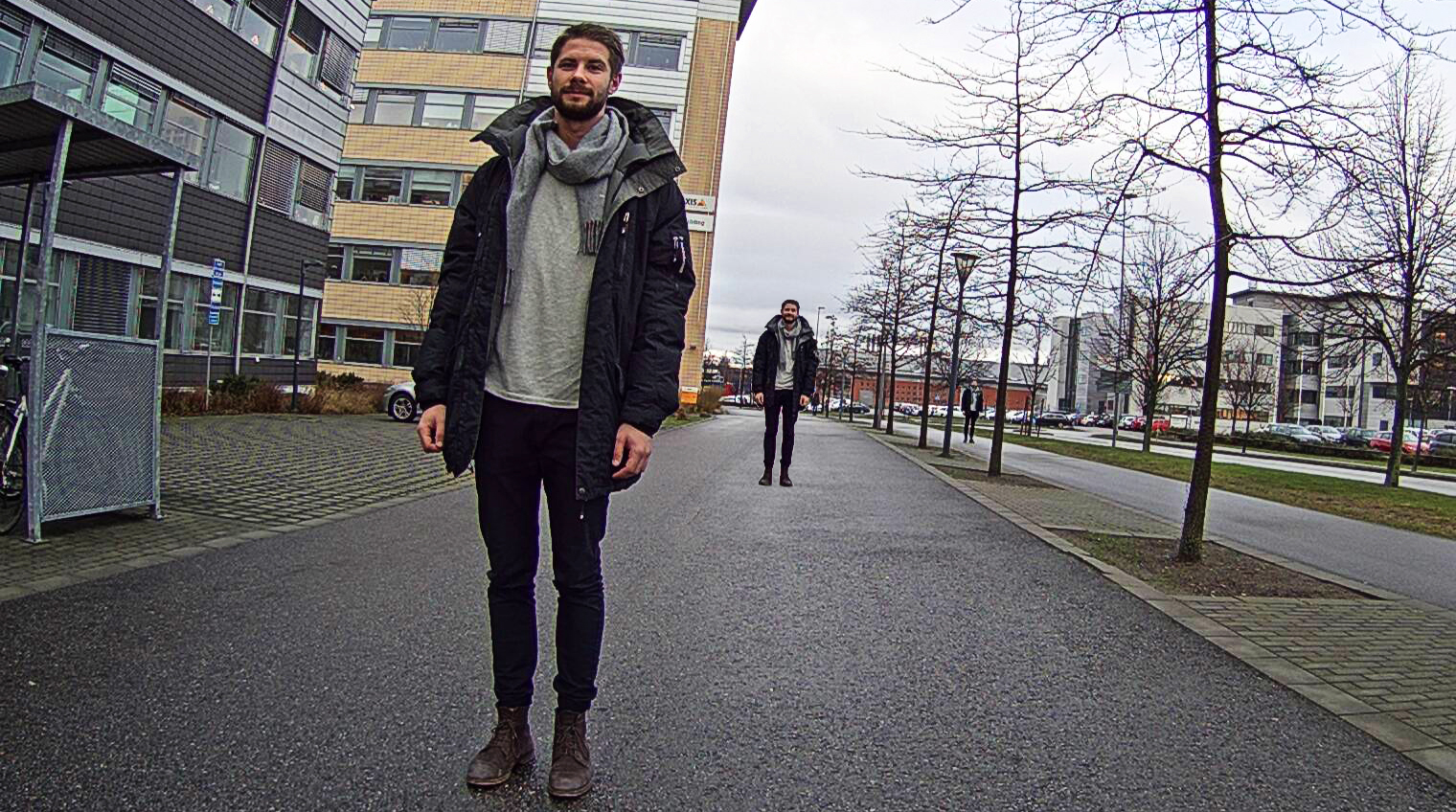
Once you have decided the levels of detail you need from your surveillance system, you need to find cameras that will meet the requirements. This is where the pixel density model comes in, associating the level of detail with camera resolution.
What is the pixel density model?
The basis of the model is the number of pixels needed to represent the width of a human face, with its distinctive identifying features, to the requested level of detail. In order to get a standardized pixel density requirement, the pixel density of the face can be recalculated to the corresponding number of pixels needed per meter or per foot, based on the assumption that an average human face has a width of 16 cm, or 6 5/16 inches. The table lists the resulting pixel densities for the different operational requirement categories.
| Operational requirement | Pixel density needed | |
|---|---|---|
| Overview | 3 px/face | 20 px/m |
| Outline | 6 px/face | 40 px/m |
| Discern | 12 px/face | 80 px/m |
| Perceive | 20 px/face | 125 px/m |
| Characterize | 40 px/face | 250 px/m |
| Validate | 80 px/face | 500 px/m |
| Scrutinize | 240 px/face | 1500 px/m |
The pixel density you can achieve in a specific camera setup depends on, among other things, the distance between the camera and the individual or object of interest. An individual that is further away will have a lower pixel density than an individual closer to the camera.
Pixel density categories
This standard categorizes pixel densities into Low Pixel Density Object (LPDO) and High Pixel Density Object (HPDO). LPDO focuses on outdoor use for perimeter and terrain protection.
| Category | Operational requirement | Pixel densities |
| Low Pixel Density Object | Overview, Outline, Discern | 20/40/80 |
| High Pixel Density Object | Perceive, Characterize, Validate, Scrutinize | 125/250/500/1500 |
A simplified model of a complex reality
We must remember that the pixel density model is a simplified model of a complex reality. The model can be used to give guidance, but there is no guarantee that complying with this simplified rule of thumb will enable a camera to fulfill the operational requirements. Also, if an installation does not comply with the pixel density guidelines, this does not necessarily mean that the operational requirements will not be met. In reality, there are always other factors such as light direction, optics quality, and image compression that affect the result. Axis offers several online design tools for designing a surveillance site, taking both pixel density and many other factors into account.
The choice of optics is particularly important, and a science on its own, which is why it is advisable to work with vendors who supply cameras that have been tested end-to-end with the included lens.
It should also be noted that if an external display is used to monitor the scene, the ability to overview, outline, discern, perceive, characterize, validate, and scrutinize individuals depends highly on the screen resolution of that display.
Tools for site design
Axis offers several tools that relate pixel density and operational requirements to the features of your scene and your camera. These tools can help you in designing a complete surveillance site, with fulfilled operational requirements.
AXIS Site Designer
AXIS Site Designer is a comprehensive online site-planning tool helping you to pick the cameras, accessories, and recording solutions you need. The camera selector tool helps you choose a suitable camera based on different criteria including which pixel density and level of detail you need at defined distances, for different lighting conditions.
In AXIS Site Designer, it is possible to visualize the achievable pixel densities of each camera within the camera's entire coverage, with each operational requirement displaying as a different shade of color.
The predefined operational requirements available in the tool are based on IEC 62676-4:2014 (detect, observe, recognize, identify). However, it is possible to manually enter a pixel density related to an operational requirement based on IEC 62676-4:2025, and see if the camera meets the requirement.
Lens calculator
The online lens calculator tool determines camera coverage and pixel density at defined distances for different camera/lens combinations.
Pixel counter
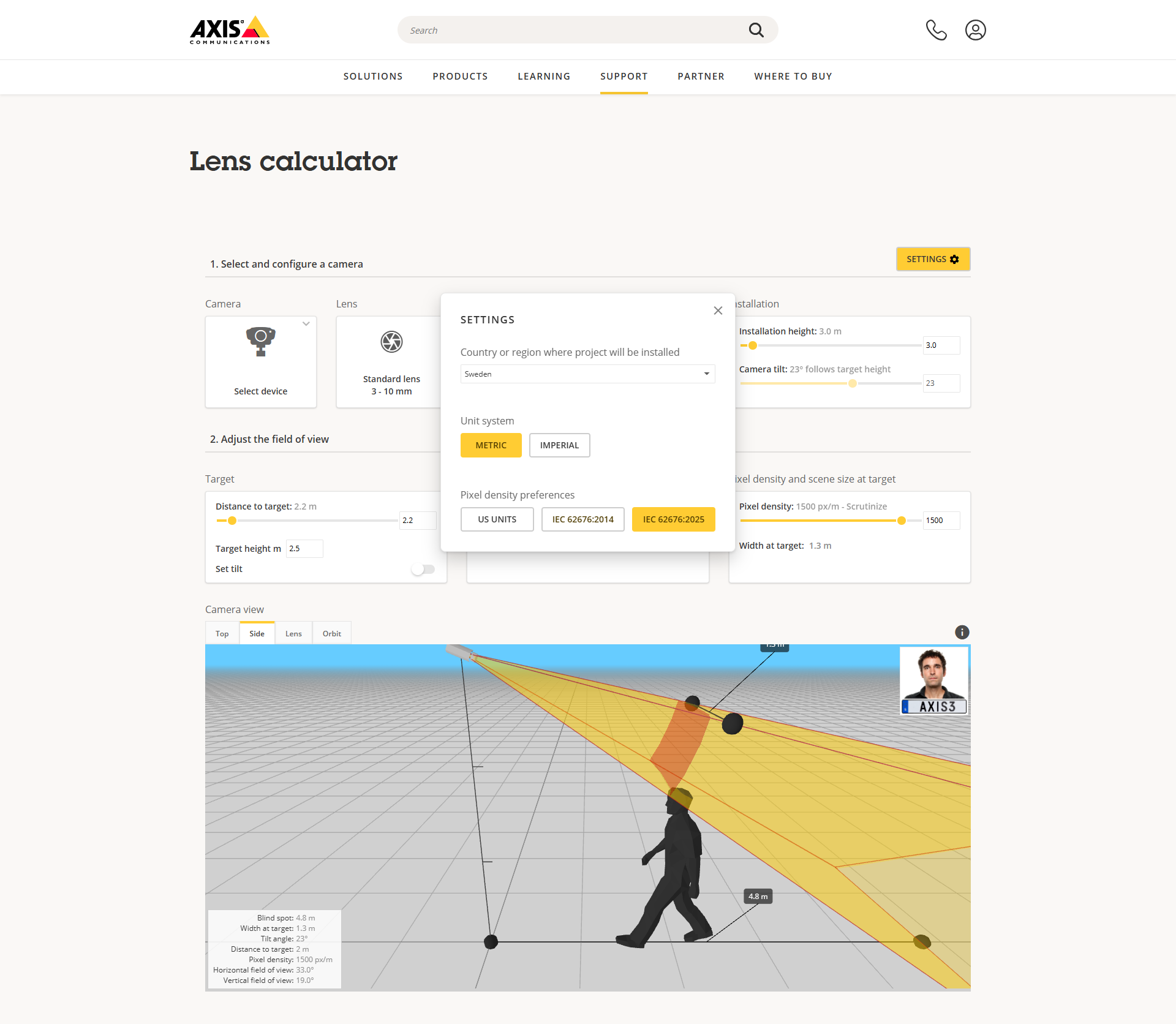
Pixel counter is an integrated tool in Axis cameras, enabling you to easily validate the operational requirements when setting up the camera. The pixel counter is a simple visual aid, shaped as a frame. It can be displayed in the camera live view with a corresponding counter to show the width and height, in pixels, of the frame. It can be adjusted and moved around in the image through drag-and-drop.